Видео с образами из шкафа
Двери открываются, ты выходишь в новом образе, уходишь обратно, двери закрываются. Девять образов подряд. Вот как это собирается.
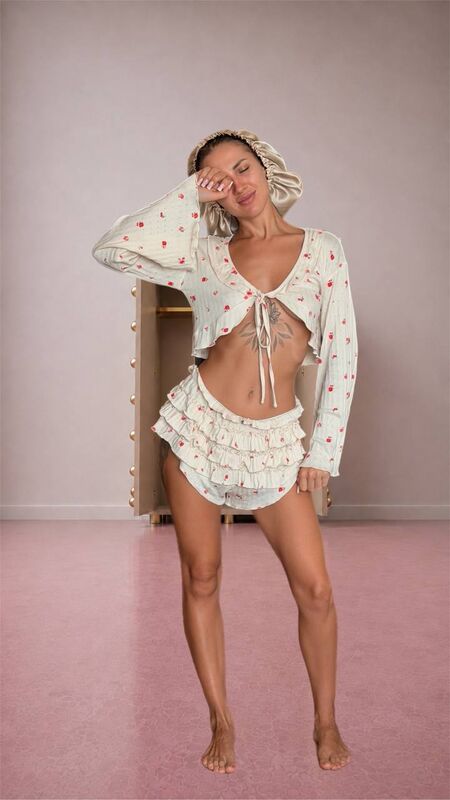
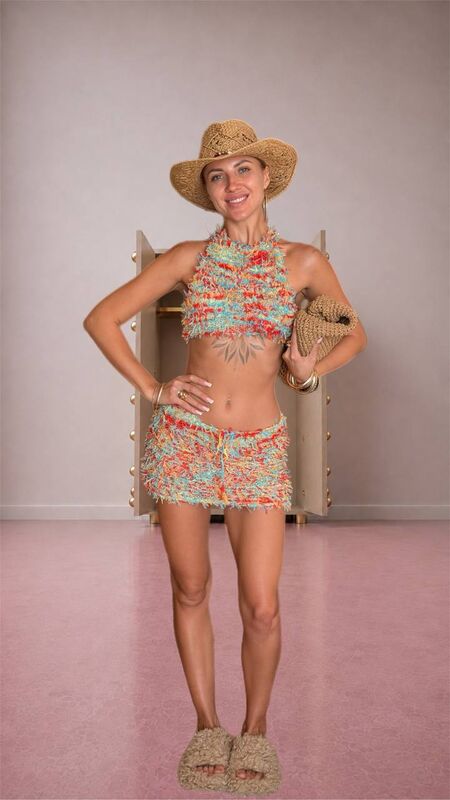
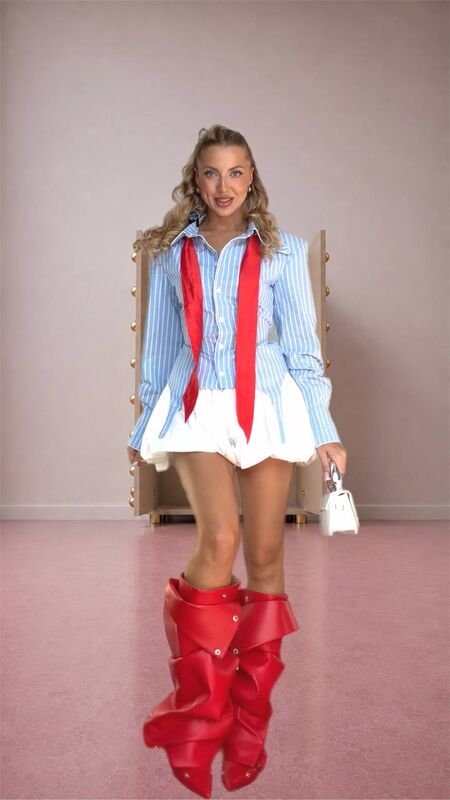
Кадры из готового ролика
Где делаем
Seedance 2.5 — тут получается финальный ролик.
Но сначала прогоняем в Seedance 2.0 Mini. Это дешёвый тест: проверяем, всё ли загружено и в том ли порядке. На качество там смотреть не надо, оно заведомо хуже — задача только убедиться, что логика собралась. Убедились — перезапускаем в 2.5.
Что загружаем
- Референсное видео. Обязательно. Оно задаёт движение, тайминг и работу камеры. Без него ролик не соберётся.
- Первая картинка — комната со шкафом, двери закрыты. Из неё берётся вся обстановка: стены, пол, свет, сам шкаф.
- Дальше девять картинок — по одной на образ. Человек на них один и тот же.
Как снимать образы
Один ракурс, одно расстояние до камеры, телефон не двигаем между кадрами. Проще всего поставить его и не трогать вообще.
Фон любой — он не попадёт в ролик, заменится на комнату из первой картинки.
В каждом образе всё должно быть видно целиком: верх, низ, обувь парой, сумка, шляпа, украшения.
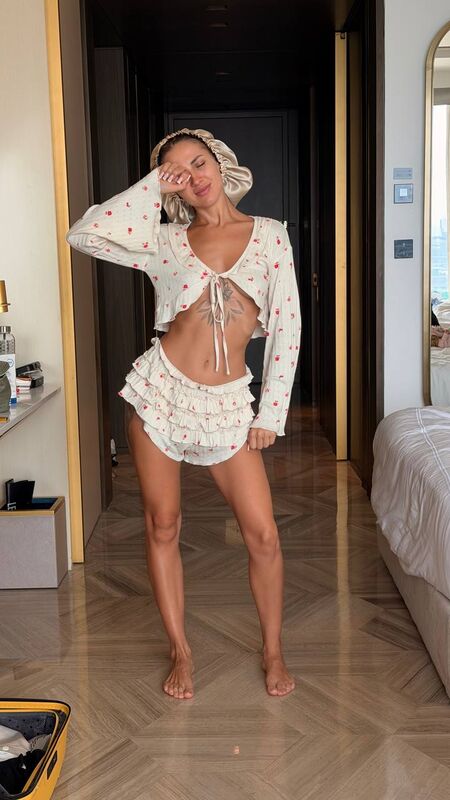
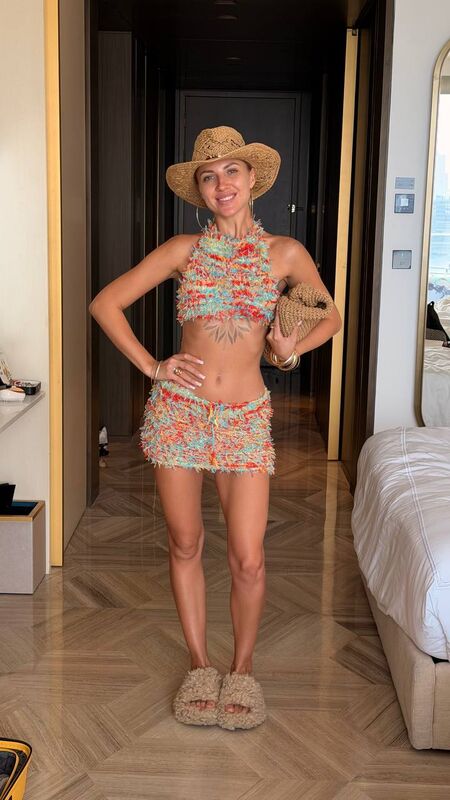
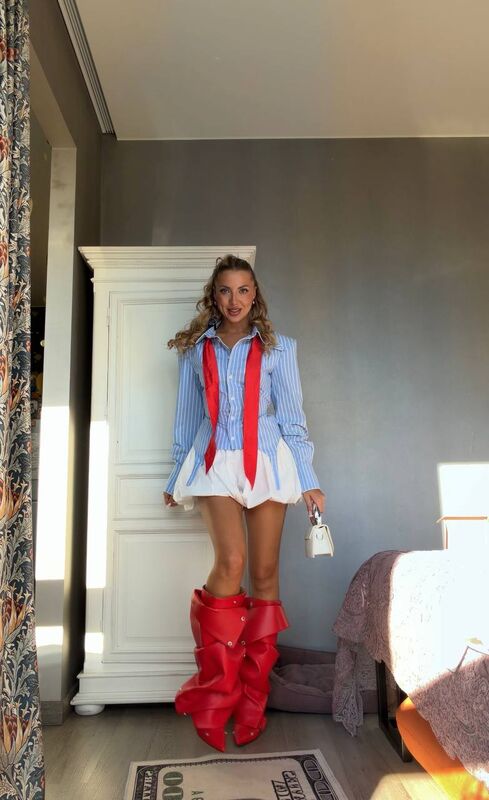
Так выглядят исходники: обычная комната, вещи вокруг — всё это уберётся
Собираем картинки для генерации
В нейросеть загружаются не сырые фото, а уже собранные кадры: ты на фоне открытого шкафа.
Порядок такой:
- Генерируем отдельно картинку с открытым пустым шкафом — это будет фон
- Каждое своё фото открываем в Bazaart, инструмент «удалить фон» — остаётся только фигура
- Вставляем фигуру на фон с открытым шкафом
Самое важное: каждую фигуру ставим ровно на то же место и в том же размере, что и предыдущую. Не двигаем ни на пиксель. Проще всего собрать первый кадр, потом копировать его и менять только фигуру.
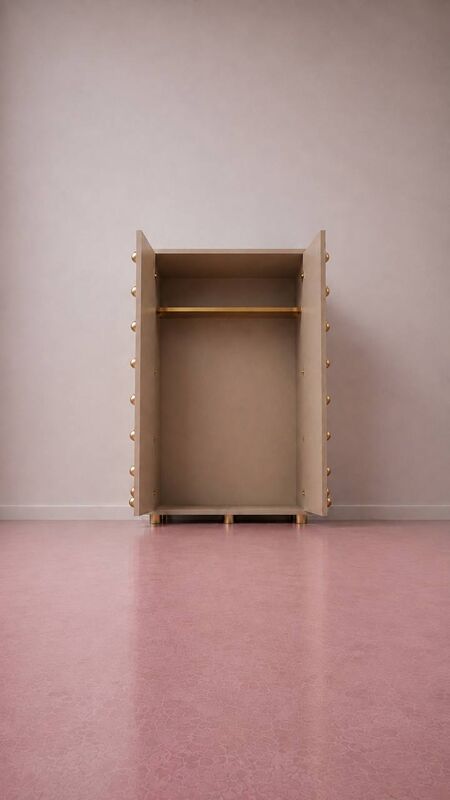
Фон с открытым шкафом и готовый собранный кадр
Оживляем видео
Загружаем строго в таком порядке:
- Референсное видео — первым
- Картинка 1 — шкаф с закрытыми дверями
- Картинка 2 — первый образ, в пижаме
- Картинки 3–9 — образы в разных стилях
- Картинка 10 — последний образ, с вещами
Двери открываются, выходишь, делаешь поворот из референса, уходишь обратно, двери закрываются. Образ меняется только за закрытыми дверями — это и прячет переодевание.
Девять образов, каждый ровно один раз. На последнем двери остаются открытыми: стоишь и смотришь в камеру до конца.
Музыка генерируется в том же проходе, удары дверей попадают в бит.
Промпт
@Video1 is the MASTER TEMPLATE for MOVEMENT and TIMING. Replicate it one to one: the same length, the same timing, the same camera work - every camera move, every change of distance, every push in and pull back - and the same body movement, turns, rhythm and energy. If the camera moves there, it moves here the same way at the same second.

NOTHING VISUAL COMES FROM @Video1. Its person, her face, her hair, her clothes, its room, its wardrobe, its floor, its walls and its light are all replaced.

@Image1 supplies the ROOM and the WARDROBE with its doors closed. This is the only room and the only wardrobe in the video, reproduced exactly as in the image: same wardrobe, same walls, same floor, same light.

@Image2 through @Image10 supply the PERSON and the OUTFITS. It is the same person in all of them - same face, same hair, same body. She does exactly what the person in @Video1 does, at exactly the same moments. Every look is worn exactly as it appears in its own image.

WARDROBE LOGIC: the doors OPEN, she comes out and performs the turn from @Video1, then she goes BACK IN and the doors CLOSE behind her. The doors closing is what hides the change - the outfit only ever changes while the doors are shut and she is out of sight. Then the doors open again on the next look. Each opening and closing is real visible movement of the panels swinging on their hinges, never an instant snap.

EXACTLY NINE LOOKS, NO MORE: this video contains nine looks and only nine, in this order:
1. @Image2
2. @Image3
3. @Image4
4. @Image5
5. @Image6
6. @Image7
7. @Image8
8. @Image9
9. @Image10
Each appears EXACTLY ONCE and is then gone forever. If @Video1 contains more outfit changes than nine, do NOT reuse an earlier look to fill them - stay on the final look until the video ends. Never show any outfit twice.

THE ENDING: on the last look she does NOT go back into the wardrobe. The doors stay open behind her, she stops, looks straight into the lens and holds until the video ends.

EVERY LOOK IS COMPLETE and taken only from its own image: top, bottom, both sleeves, both shoes as a matching pair, bag, hat and jewellery. Clothing is worn closed and sits exactly as in the image - nothing falls open, slips aside or gapes while she moves.

ACCESSORIES RESET: when the outfit changes, every accessory changes with it - hat, bag, clutch, jewellery, scarf, shoes. Each look wears only what its own image shows. If a look has no bag, both hands are visibly empty. Nothing survives from the previous look, not one sleeve, not one shoe.

SPEED: real-time throughout. No segment is slower or faster than any other, no slow motion, no speed ramps, no long frozen pauses - she is always moving or turning.

FORMAT: vertical 9:16, same duration as @Video1, ultra photorealistic.

MUSIC - generate in the same pass: original upbeat electronic track, punchy kick, crisp claps, bright synth stabs, bouncy bassline, fashion-reel energy, tempo matching the cutting rhythm of @Video1. Every door slam lands on the beat. No vocals, no lyrics, no speech.

CONTINUITY: same person, same face, same body, same room, same wardrobe, same light throughout. The wardrobe never changes shape, size in frame or colour. Real skin texture with visible pores, natural daylight, no beauty filter, no colour shift in the floor or the walls.
any outfit appearing twice, repeating a look, looping, slow motion, speed ramp, one segment slower than the others, standing frozen, long pause, holding still without turning, copying the person from the video reference, copying her face or hair or clothes, copying the original room or wardrobe or floor or walls, different person, changing face, changing body, doors staying open during a change, changing clothes in the open, half-changed outfit, sleeve from a different outfit, mismatched shoes, accessories carried between looks, clothing falling open, exposed breast, nipple, floating, hovering, doors opening instantly, doors closing instantly, fade, dissolve, crossfade, second person, vocals, speech, plastic skin, beauty filter, on-screen text, watermark, borders
Что чаще всего ломается
Образы начинают повторяться. Значит в референсном видео смен больше девяти, и модель добирает старыми. Берите референс покороче.
Двери открываются рывком. В промпте это запрещено отдельной строкой, но если всё равно случилось — перезапустите, это лотерея.
Аксессуары переезжают. Сумка или шляпа остаётся от предыдущего образа. Проверьте, что на каждой картинке образ виден полностью, включая руки.
Фигура прыгает по кадру. Значит исходники сняты с разного ракурса или расстояния. Это самая частая причина, и лечится только пересъёмкой.
Промпт универсальный: он не привязан к конкретным нарядам. Своя комната первой картинкой, свои образы дальше — и получается такой же ролик.